
How this started
The POS handles what it's built for: transactions, invoices, client records, point-of-sale. But when a business does pickups and deliveries across multiple routes, multiple drivers, and multiple client accounts every day — the POS runs out of road. There's no delivery module. No driver dispatch. No route calendar. No way to notify a customer that their driver is twenty minutes out.
Our client, a commercial laundry and linen service in San Diego, had hit that wall. Rather than replace a POS that was working, they'd patched the gap with six separate tools:
- Google Sheets — driver schedules and route assignments, rebuilt manually each morning
- Calendly — customer pickup scheduling, disconnected from actual driver capacity
- Google Maps — route planning, no optimization, no integration with the schedule
- Twilio (manual) — customer SMS, sent one by one by a person
- QuickBooks — invoicing, populated from a separate spreadsheet by hand
- Basic landing page — no scheduling, no service info, no SEO
None of these talked to each other. Every connection was a person doing coordination work before the actual work could start — about two hours every morning. The problem wasn't the individual tools. It was that the space between them was entirely manual.
The insight that shaped the project: don't fight the POS. Build the delivery layer it's missing, own the data on both sides, and connect the two. One system that fills the gap — not a seventh tool that creates another one.
One PIN, two realities
The first design decision in rOUTER is visible the moment you open it.
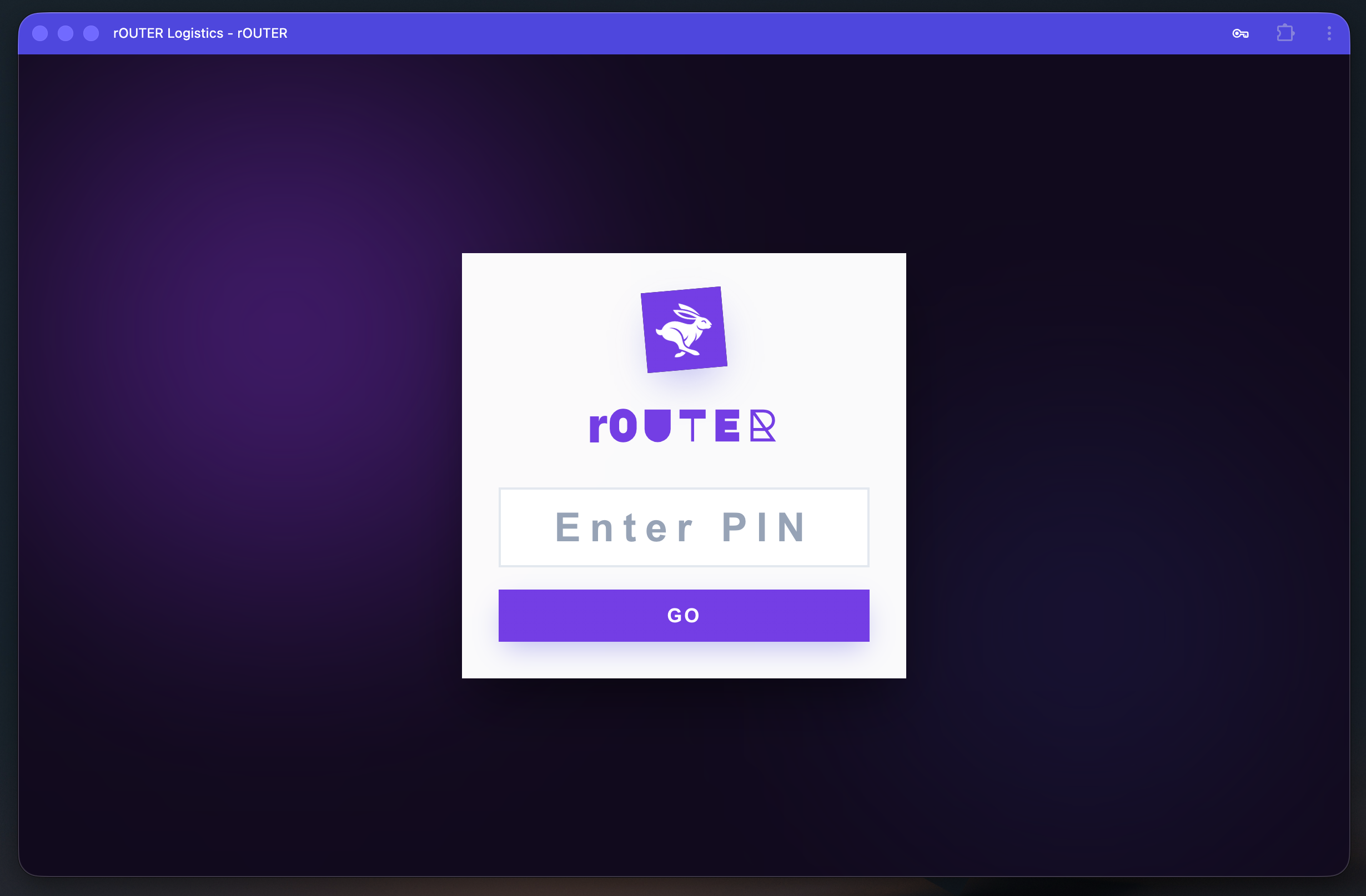
A PIN entry screen. No email address, no password, no account recovery flow. This is a tool used on tablets and shared devices in a working laundry operation — speed matters before a shift, and the friction of a traditional login doesn't serve anyone standing at a dispatch counter. A four-digit PIN gets you in.
What happens next is where the architecture shows itself.
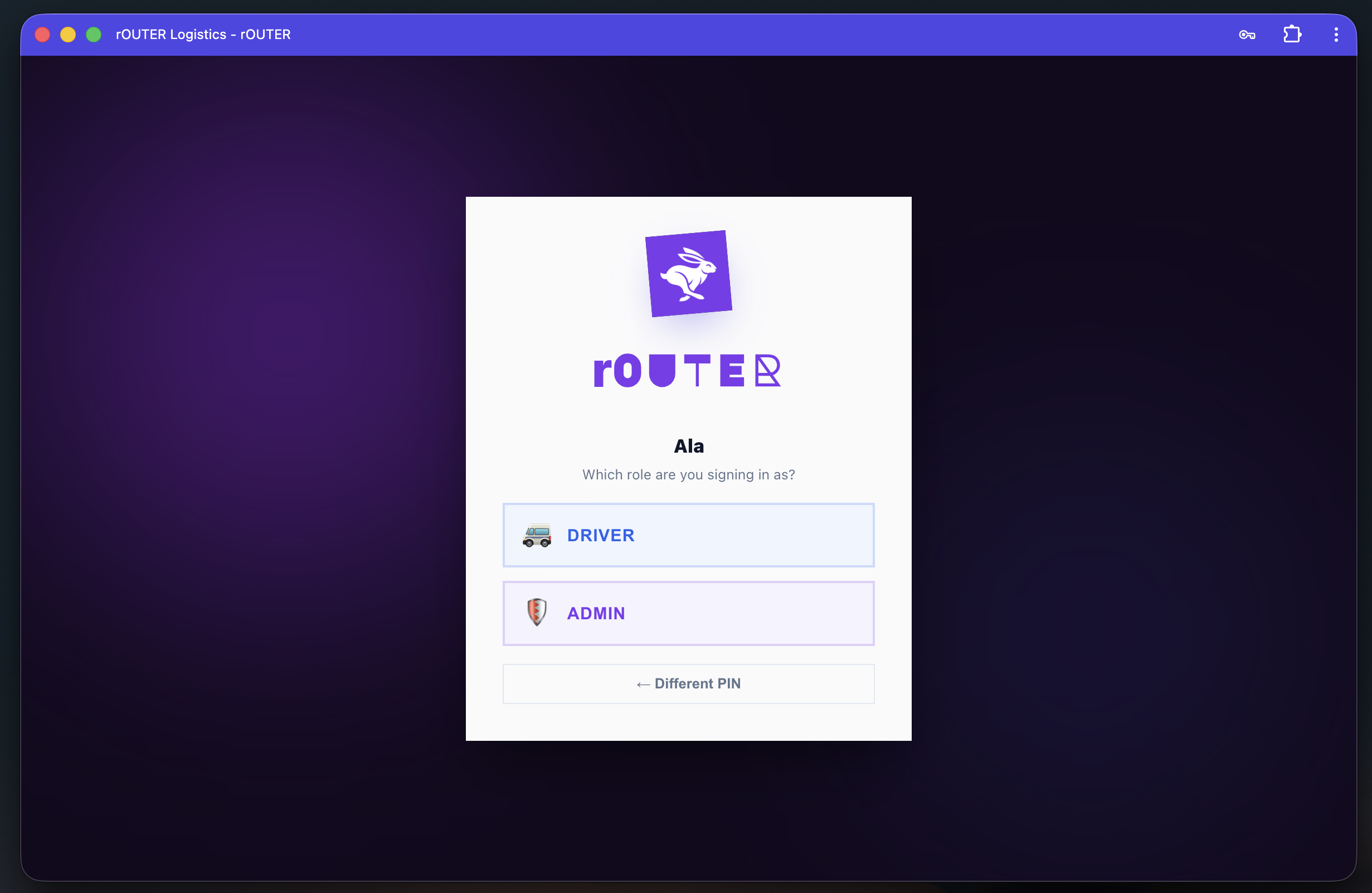
After the PIN, the system asks: which role are you signing in as? The same person can hold a Driver account and an Admin account — and the two interfaces share almost nothing in common.
Security is enforced at the system level, not by convention. Roles are assigned in Account Management by an admin — a driver selecting "Admin" at this screen simply cannot proceed if their account doesn't have that role. What you can see is determined before you make a choice.
Dashboard — the morning briefing
Requirement: the manager needs a complete operational snapshot without opening a single other screen. Every number that matters, visible in under five seconds.
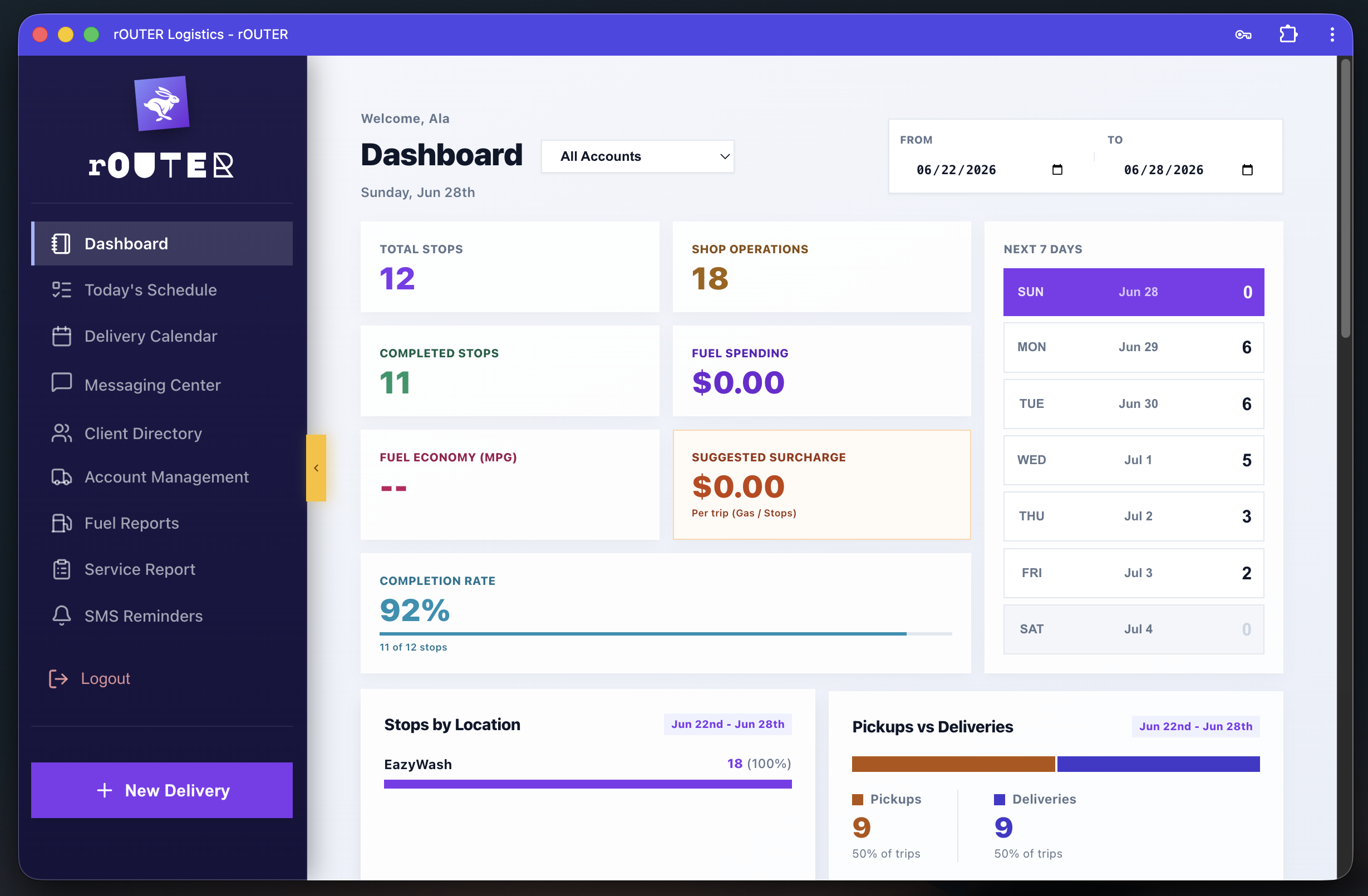
The dashboard surfaces six live metrics: Total Stops, Shop Operations count, Completed Stops, Fuel Spending, Completion Rate, and a Suggested Fuel Surcharge. The right side shows the next seven days as a mini-calendar — so the manager sees this week's load distribution without navigating anywhere. Below, Stops by Location and Pickups vs. Deliveries give a breakdown of where volume is concentrated.
The Suggested Surcharge and Fuel Economy metrics are worth noting: these aren't manual inputs. The system derives them from delivery records and driver fuel logs — operational cost intelligence generated automatically from data that already exists in rOUTER.
Today's Schedule — the day view
Requirement: the manager needs to see every delivery scheduled for a given day, navigable forward and backward without reloading.
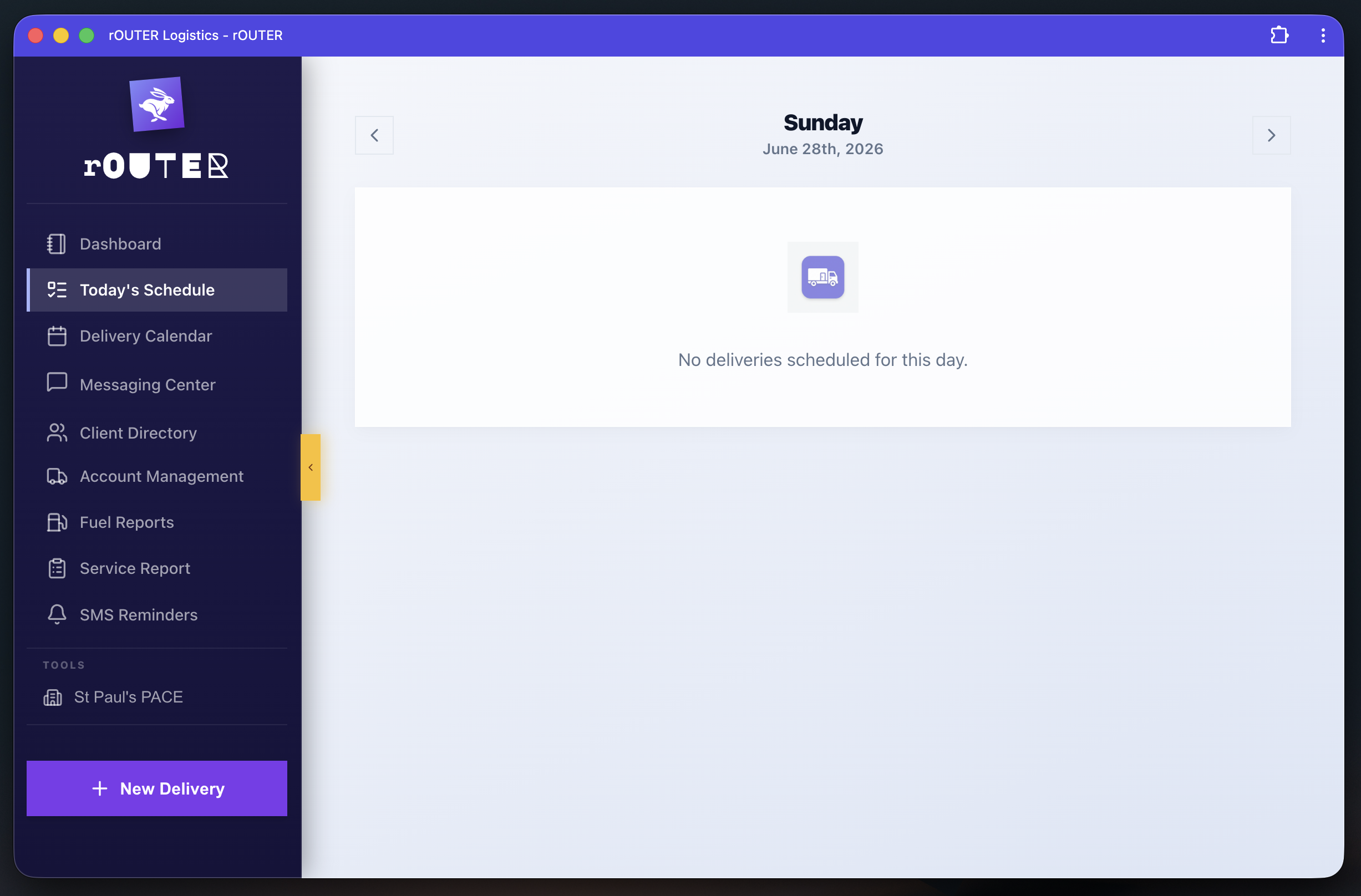
The day view is a single-purpose screen: date navigation at the top, deliveries for that day below. What populates it is pulled directly from the delivery calendar — there's no separate data entry. The manager navigates days; the system shows what's already scheduled.
Delivery Calendar — the month view
Requirement: month-level visibility across all accounts and both shop locations, so the manager can see load distribution without running a report.
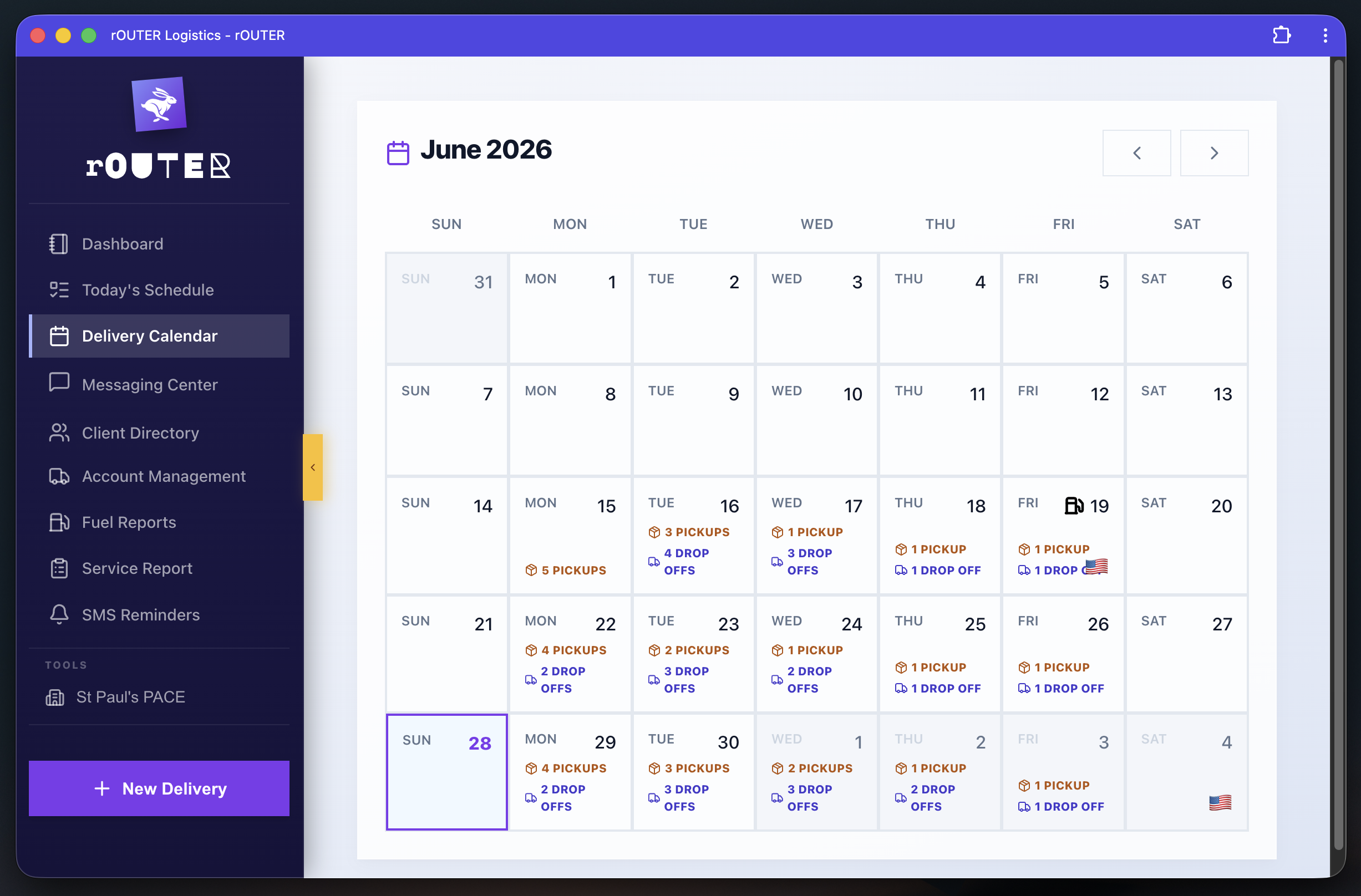
Each day cell shows pickup and drop-off counts in color. The manager can see at a glance which days are heavy, which are light, and where the shop split falls — without opening a spreadsheet or filtering a report. This replaced the Google Sheet that someone was updating manually every morning.
New Delivery — scheduling in under 60 seconds
Requirement: create a delivery for an existing or new client quickly, with the option to enroll them in SMS updates for that specific delivery.
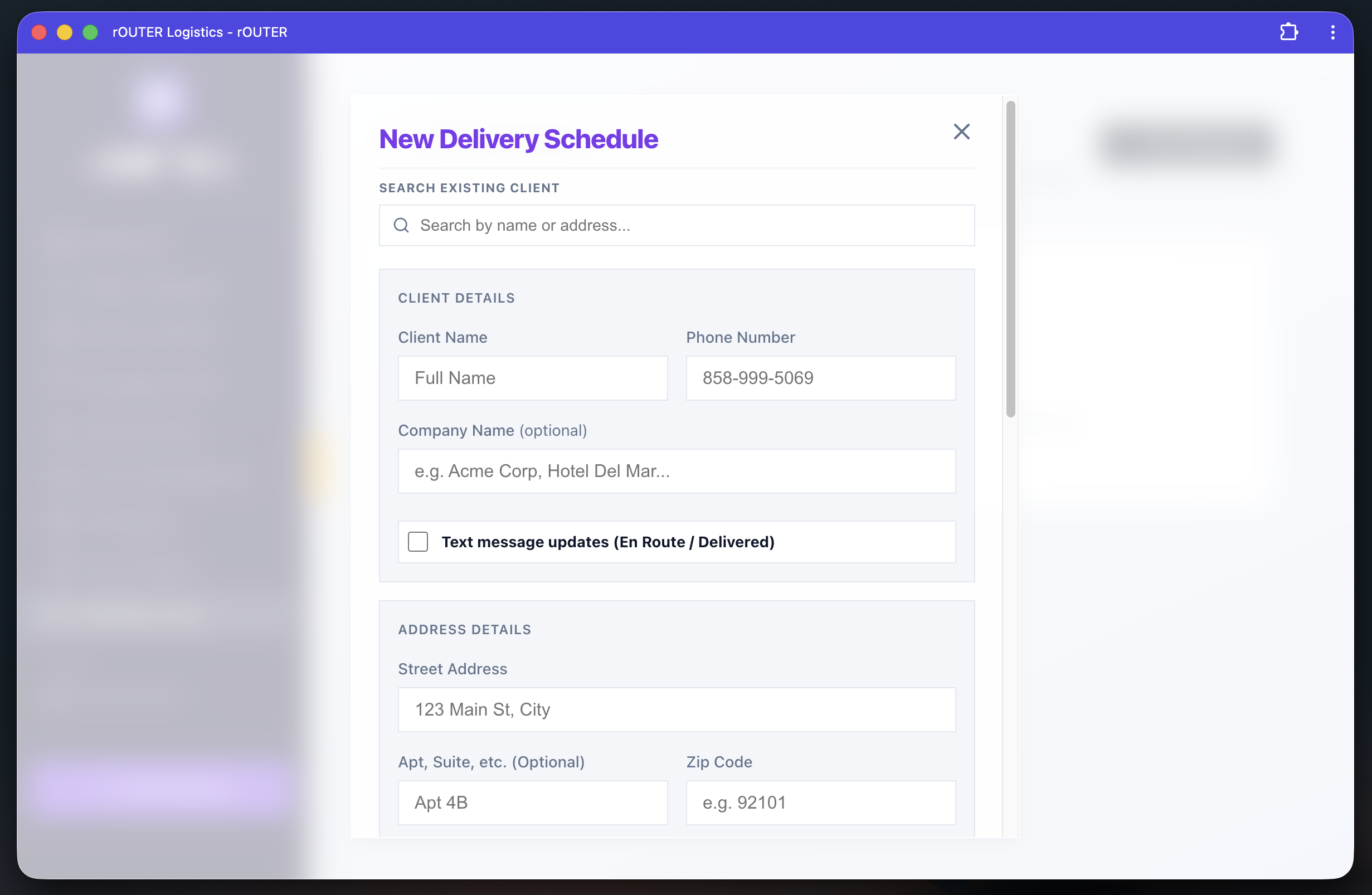
The form starts with a client search — type a name, address, or phone number and existing clients surface immediately. For a new client, the fields fill in from scratch. The SMS opt-in toggle ("Text message updates — En Route / Delivered") is per delivery, not per client account. This was a deliberate choice: some clients want notifications, others don't, and a single commercial account may have multiple locations with different preferences. One global toggle wouldn't have covered it.
Client Directory — the full roster
Requirement: searchable, filterable list of all active clients, scoped by shop location and service frequency, with driver assignment visible per client.
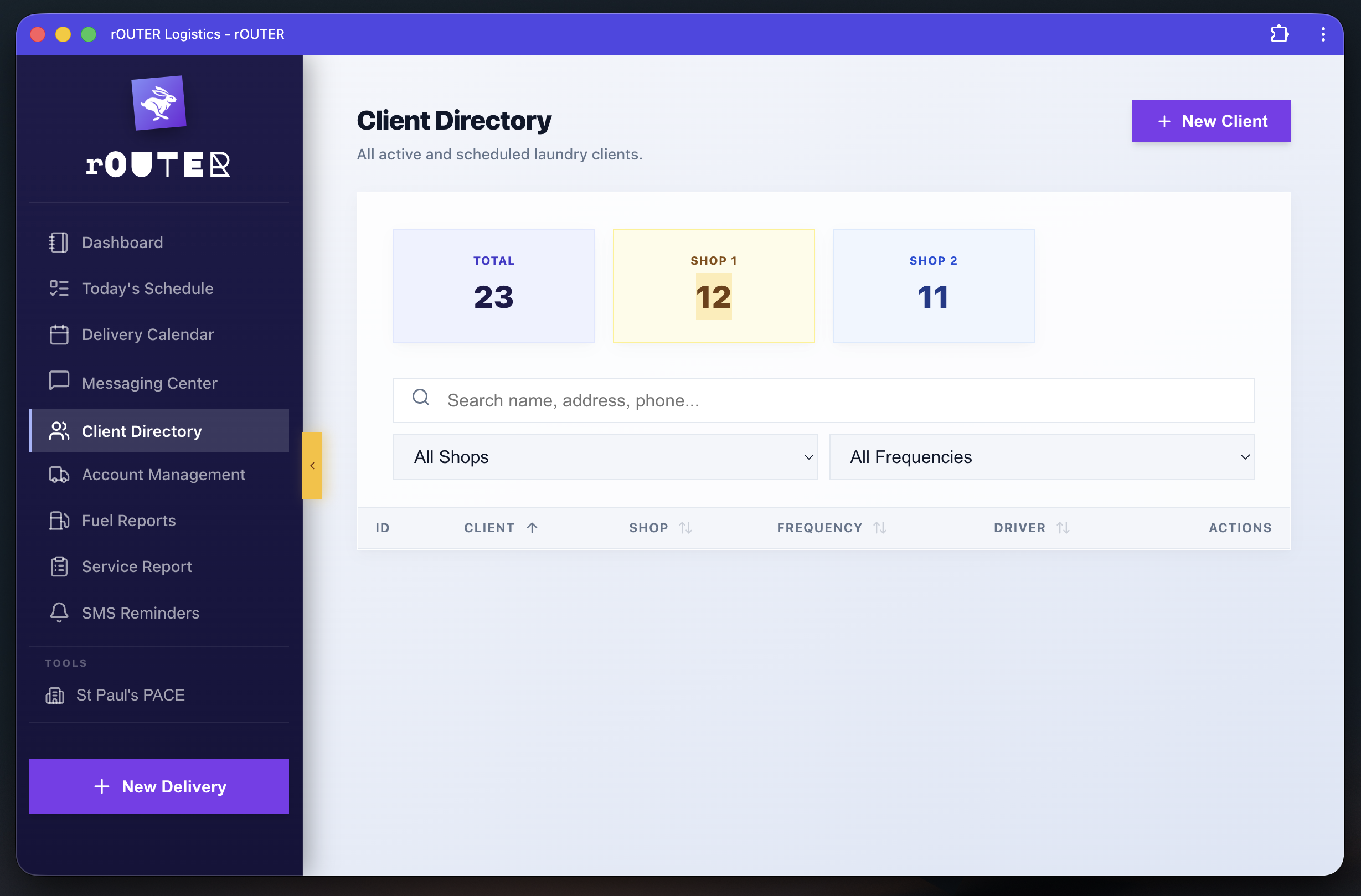
23 clients, split across two shop locations (Shop 1: 12, Shop 2: 11). The shop split matters because this business runs two physical laundry locations — clients, drivers, and routes are scoped per shop. Filtering by shop and frequency lets the manager pull exactly the slice they need without scrolling through an undifferentiated list.
Messaging Center — two-way customer communication
Requirement: all customer communication needs to happen inside the platform — logged, traceable, and not dependent on a manager's personal phone.
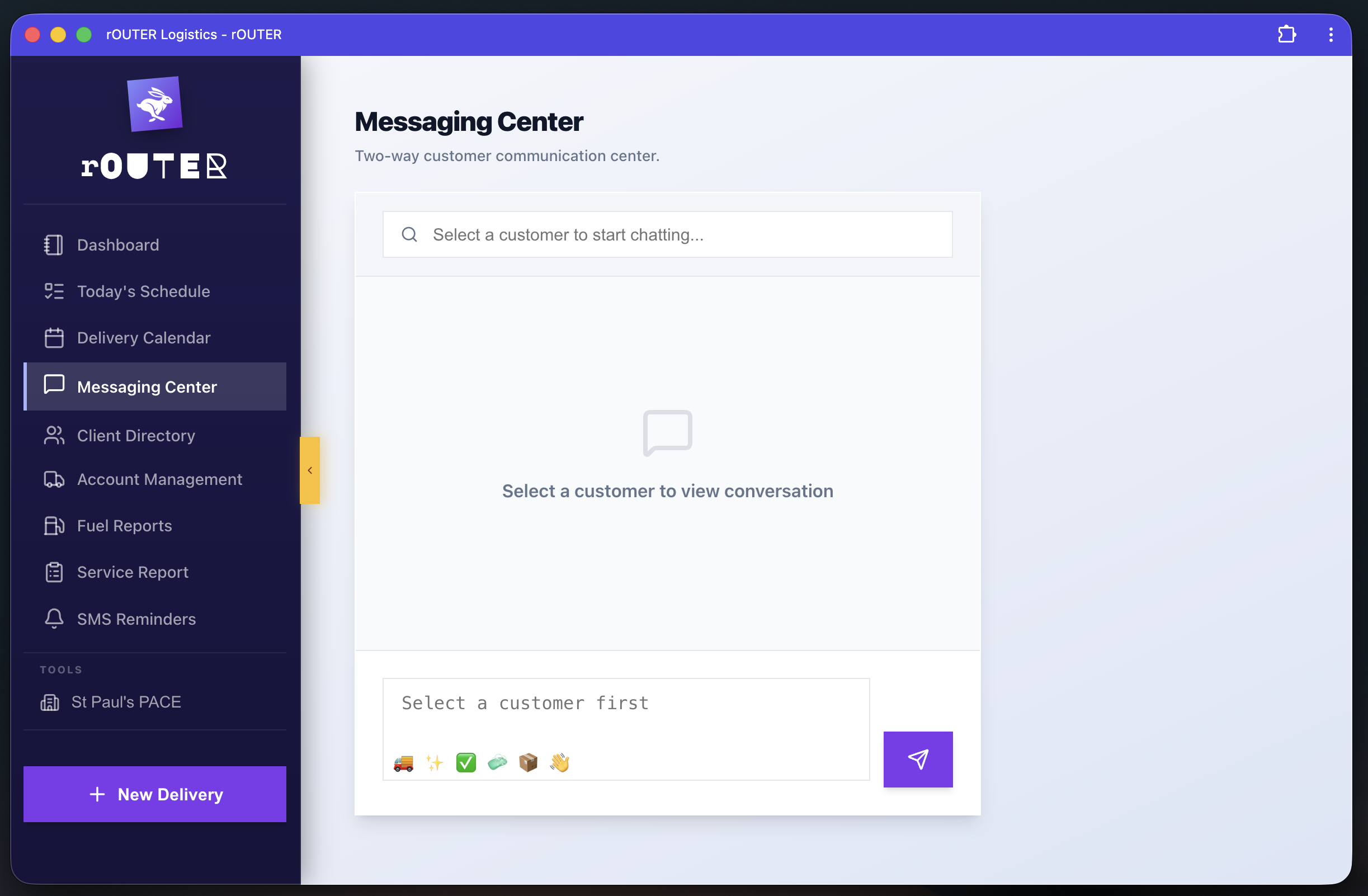
The Messaging Center is a two-way SMS interface built into the platform. Search a customer, select them, and the full conversation history is there. Replies from the customer surface in the same thread. The manager sends from the platform; the customer receives and replies as if it's a normal text. No switching apps, no personal numbers in the customer's contact list, no conversation threads that disappear when someone leaves the company.
SMS Reminders — automated, not manual
Requirement: customers should receive scheduled reminders before their delivery without a person having to remember to send them.
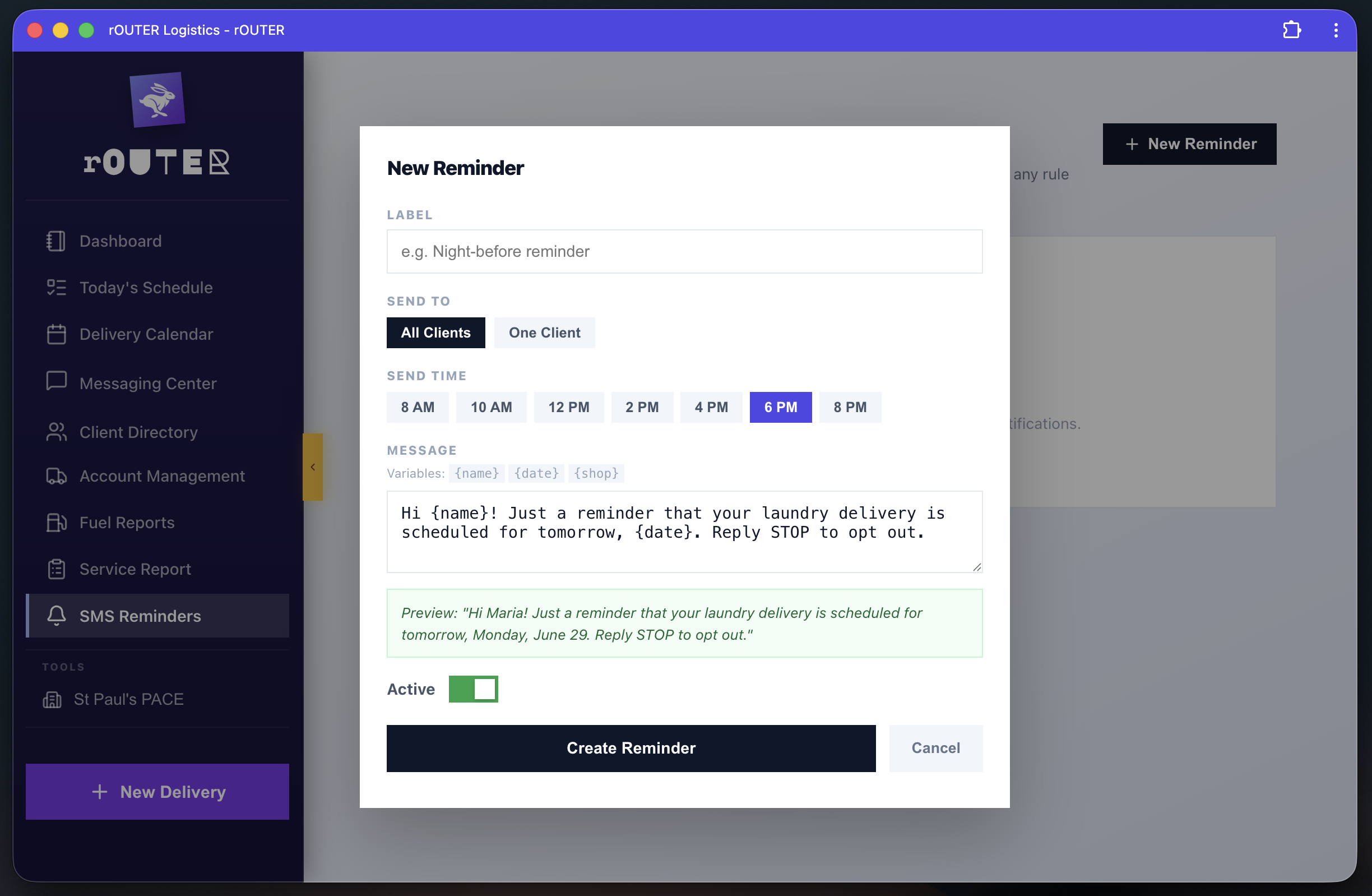
The reminder system is template-based with variables: {name}, {date}, {shop}. The admin sets a label, chooses to send to all clients or one specific client, picks a send time (8 AM through 8 PM), writes the message, and activates it. A live preview shows exactly what a real recipient will receive — "Hi Maria! Just a reminder that your laundry delivery is scheduled for tomorrow, Monday, June 29. Reply STOP to opt out." — resolved from the template at send time per recipient.
This replaced the Twilio manual workflow entirely. Nobody composes an individual message or remembers a send time. The system handles it.
Fuel Reports — expense tracking with anomaly detection
Requirement: drivers need to log fuel fill-ups for reimbursement, and the business needs a way to catch missing or irregular entries.
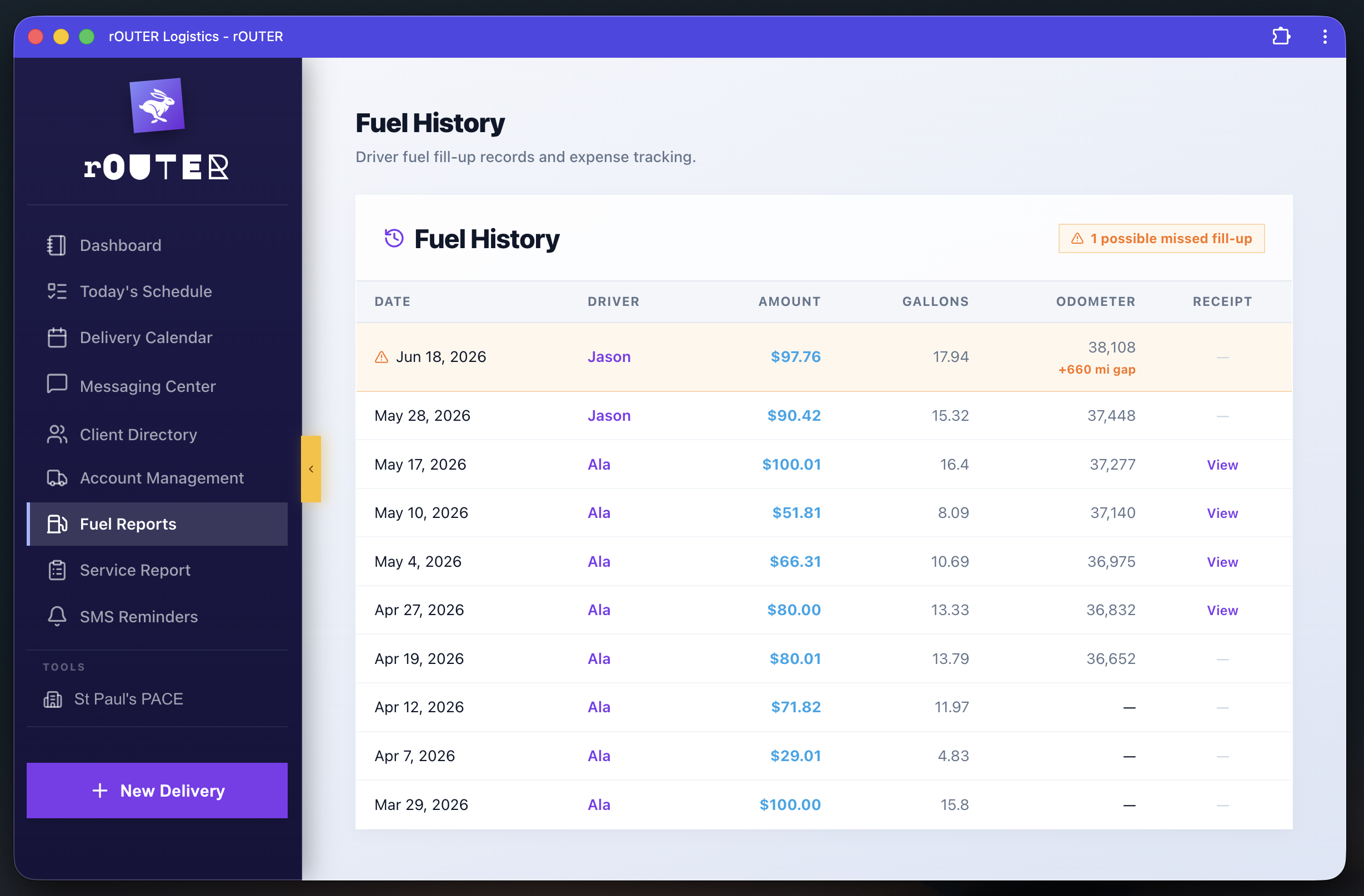
The Fuel History table shows every fill-up: date, driver, amount, gallons, odometer reading, and receipt link. What makes it useful beyond a log is the anomaly flag — the system compares consecutive odometer readings and highlights gaps where a fill-up should have occurred but wasn't logged. In the screenshot, a 660-mile gap between entries is flagged as a "possible missed fill-up." That kind of detection would require manual inspection of the spreadsheet equivalent. Here it's automatic.
Account Management — roles, PINs, and access control
Requirement: the admin needs to create and manage user accounts with role-based access, distribute credentials without sharing passwords, and maintain an audit trail of who has been in the system.
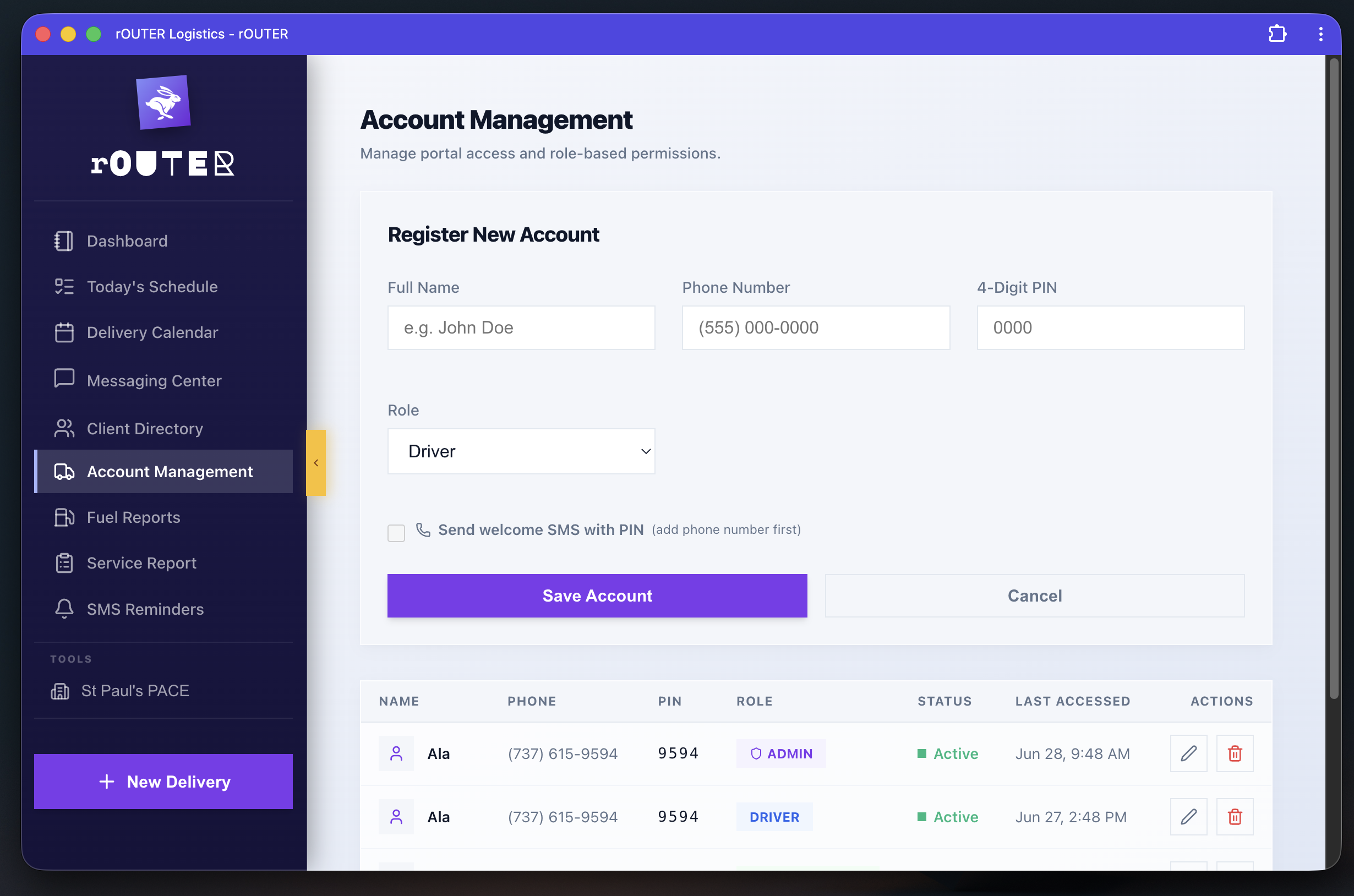
New accounts are created with a name, phone number, four-digit PIN, and role (Driver or Admin). The "Send welcome SMS with PIN" option delivers credentials directly to the user's phone — no shared document, no verbal handoff. The accounts table shows every user's role, current status, and last accessed timestamp, giving the admin a live audit trail of system activity.
Notice that Ala appears twice in the screenshot: once as ADMIN (last accessed June 28, 9:48 AM) and once as DRIVER (last accessed June 27, 2:48 PM). This is the multi-role architecture at work — the same person, two distinct accounts, two completely different experiences depending on which role they sign into. One does not inherit the permissions of the other.
Driver dashboard — today only
Requirement: the driver needs to see their stops for the day and nothing else. No admin controls, no client lists, no metrics.
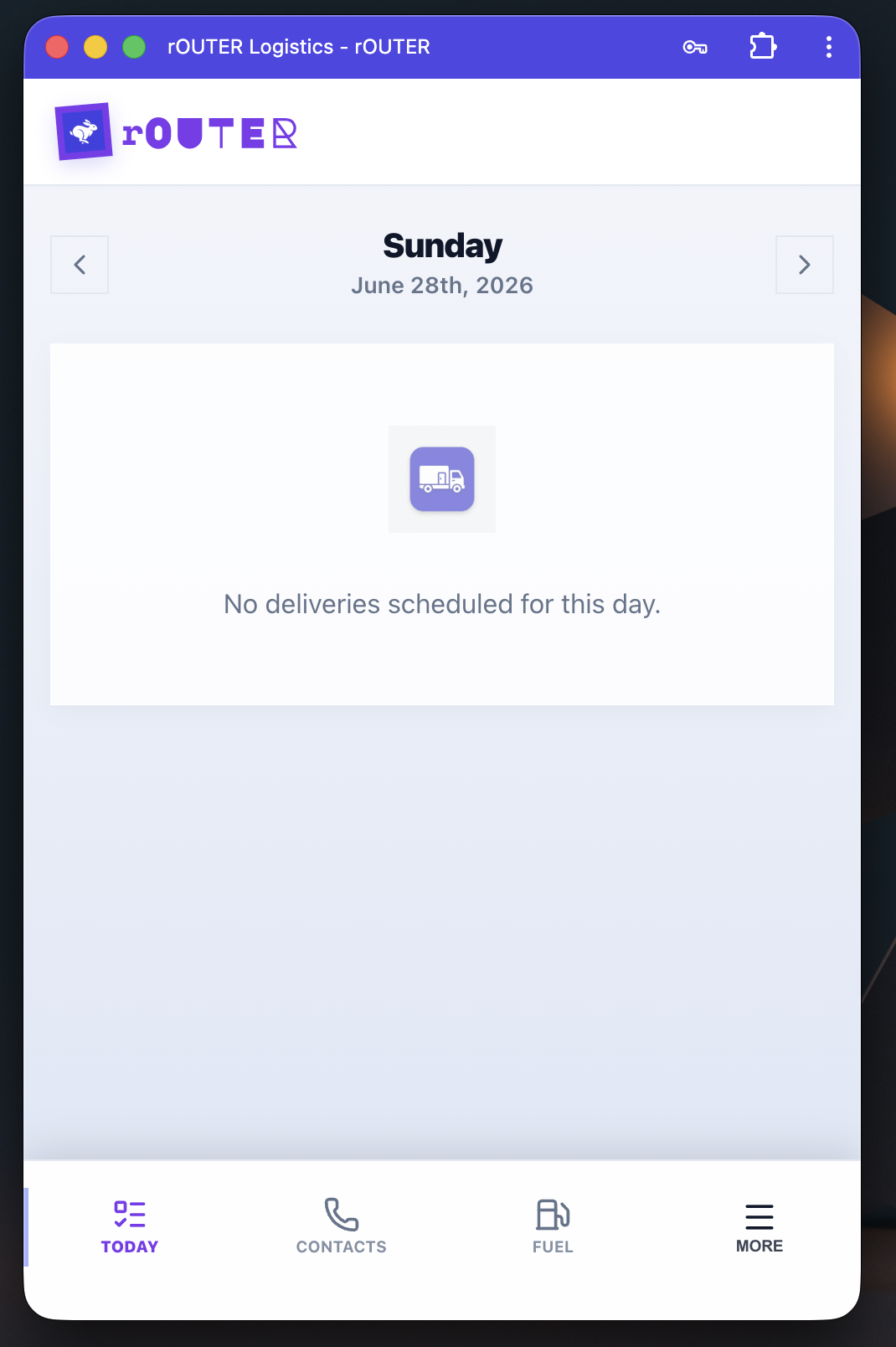
The admin dashboard has eight data panels. The driver dashboard has one: today's stops. Date navigation at the top, deliveries below, bottom tab bar for Contacts, Fuel, and More. The interface is built for one hand while moving. There is no way to access account settings, client directories, or reporting from this view — not because it's hidden, but because the driver account simply doesn't have those routes.
Notify en route — one tap, automatic SMS
Requirement: customers need to be notified when the driver is on the way, without the driver composing a message or remembering to do it.
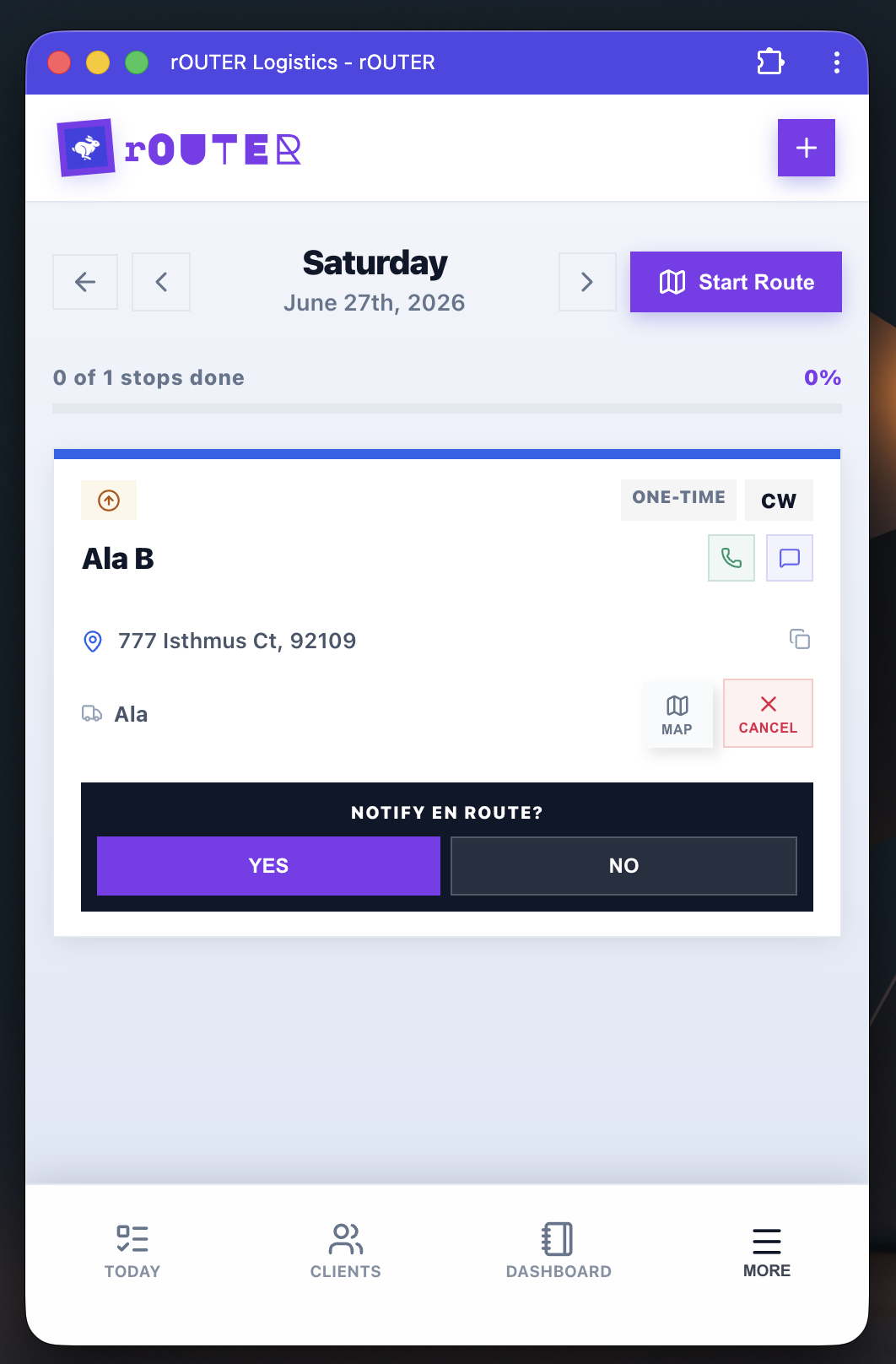
When a driver opens a stop, the system prompts: "NOTIFY EN ROUTE?" with YES and NO. One tap on YES fires an automated SMS to the customer — "Your driver is on the way." The driver doesn't compose anything, doesn't open a messaging app, doesn't text from their personal number. The customer gets a message from the business. The delivery record logs that the notification was sent, and when.
Proof of delivery — photo or skip
Requirement: completed deliveries need a record that can be referenced if a client disputes a drop-off. Photo capture is preferred but can't block the workflow when a photo isn't possible.
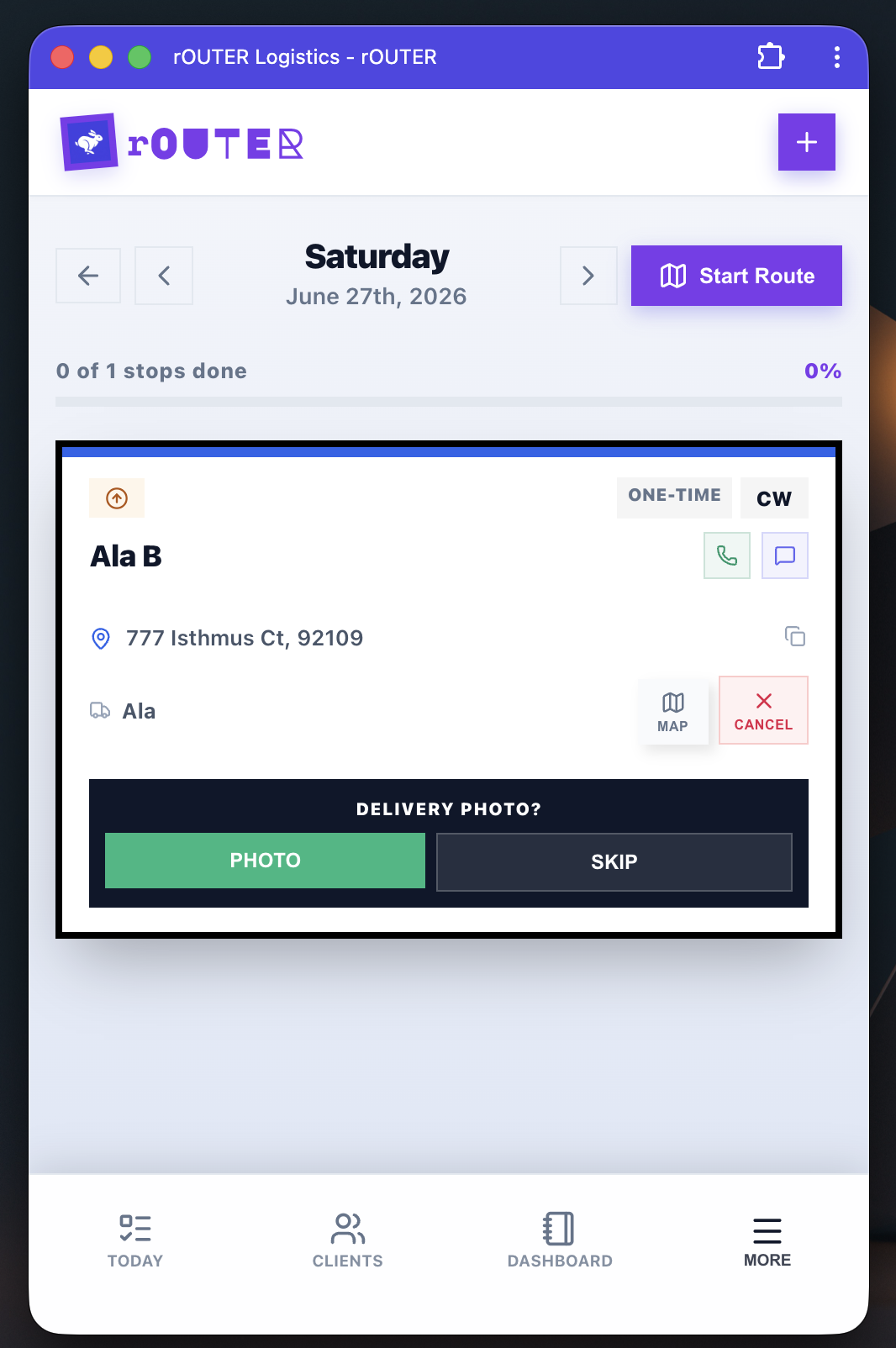
After marking a stop complete, the driver sees: "DELIVERY PHOTO? PHOTO / SKIP." Taking a photo uploads it directly to the delivery record in the database, linked to the client, date, and driver. The admin can retrieve it immediately if needed. SKIP exists because sometimes a delivery is completed in a situation where a photo isn't practical — the workflow shouldn't be blocked by an optional step.
Gas log — field expense tracking
Requirement: drivers need to log fuel fill-ups while in the field for reimbursement, with the option to capture a receipt photo as proof.
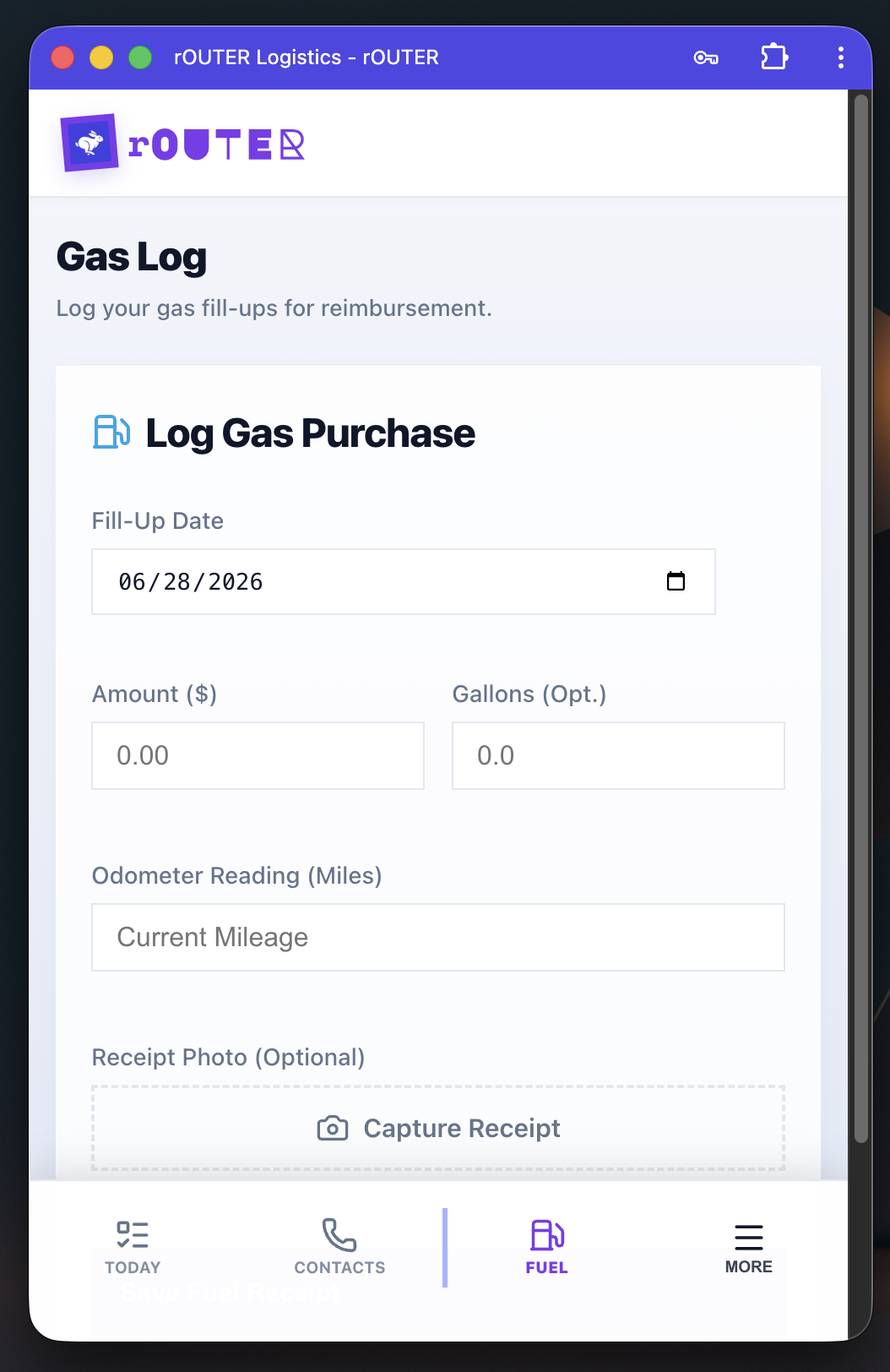
The Gas Log form is built for the moment right after a fill-up: date (auto-populated), dollar amount, gallons, current odometer reading, and an optional receipt photo. The odometer field is the critical one — it's what enables the anomaly detection in the admin's Fuel Reports. Without consistent odometer entries, the system can't identify gaps. The receipt photo connects to the same Fuel History table the admin sees, eliminating the receipts-in-a-shoebox problem entirely.
The integration
rOUTER ↔ POS via webhooks and APIs
rOUTER was built to fill the gap the POS left — but it doesn't run as a separate silo. The two systems are connected through authenticated webhook and API endpoints that keep them in sync.
Delivery events in rOUTER push back to the POS in real time: a completed delivery triggers a webhook that updates the corresponding record on the POS side. Client and billing data flows in the other direction — rOUTER pulls from the POS via API so that commercial accounts, net-30 terms, and billing cycles don't need to be maintained twice.
The connection is secured at the endpoint level. There's no third-party SaaS sitting in the middle with access to either system — the data moves directly between two systems the client controls. The POS stays the system of record. rOUTER extends it with everything the POS was never built to handle, and reports back when the work is done.
What building this clarified
Every business has a center — the system they've committed to, the one that holds the source of truth for their operation. For a retail shop it's the POS. For a professional services firm it's the CRM. For a manufacturer it might be an ERP. These systems do the center well, and replacing them is almost never the right move.
But the center never covers everything. Delivery logistics, field operations, customer communication, driver management — these live at the edges, and every major software vendor has a different answer for the edges that rarely fits the specific shape of any real business. So the edges get stitched together: a Calendly here, a Google Sheet there, a manual Twilio workflow, a person who sends the SMS every morning.
What rOUTER represents is a different approach: identify the edges, build the layer that covers them, and connect it back to the center. The result isn't just a more efficient business — it's a business where the data is coherent. A delivery completed in rOUTER is visible in the POS without anyone transferring a record. A customer notification sent through rOUTER is logged in the same system that tracks their deliveries. The manual coordination work disappears not because people are working faster, but because the system is doing the work that coordination was compensating for.
This pattern — core system plus a custom layer built around the specific edges of a specific business — is where we think the most valuable custom software work happens right now. Not greenfield applications built from scratch, but precision extensions of systems that already exist, designed around how a business actually operates rather than how a software vendor imagined it might.